

Digital Invites
We’ve created digital invites for you to make it easy to invite your friends and family to join you at our West County Campus!
Save these digital invites and post to your social media, or send to someone you’d like to invite.

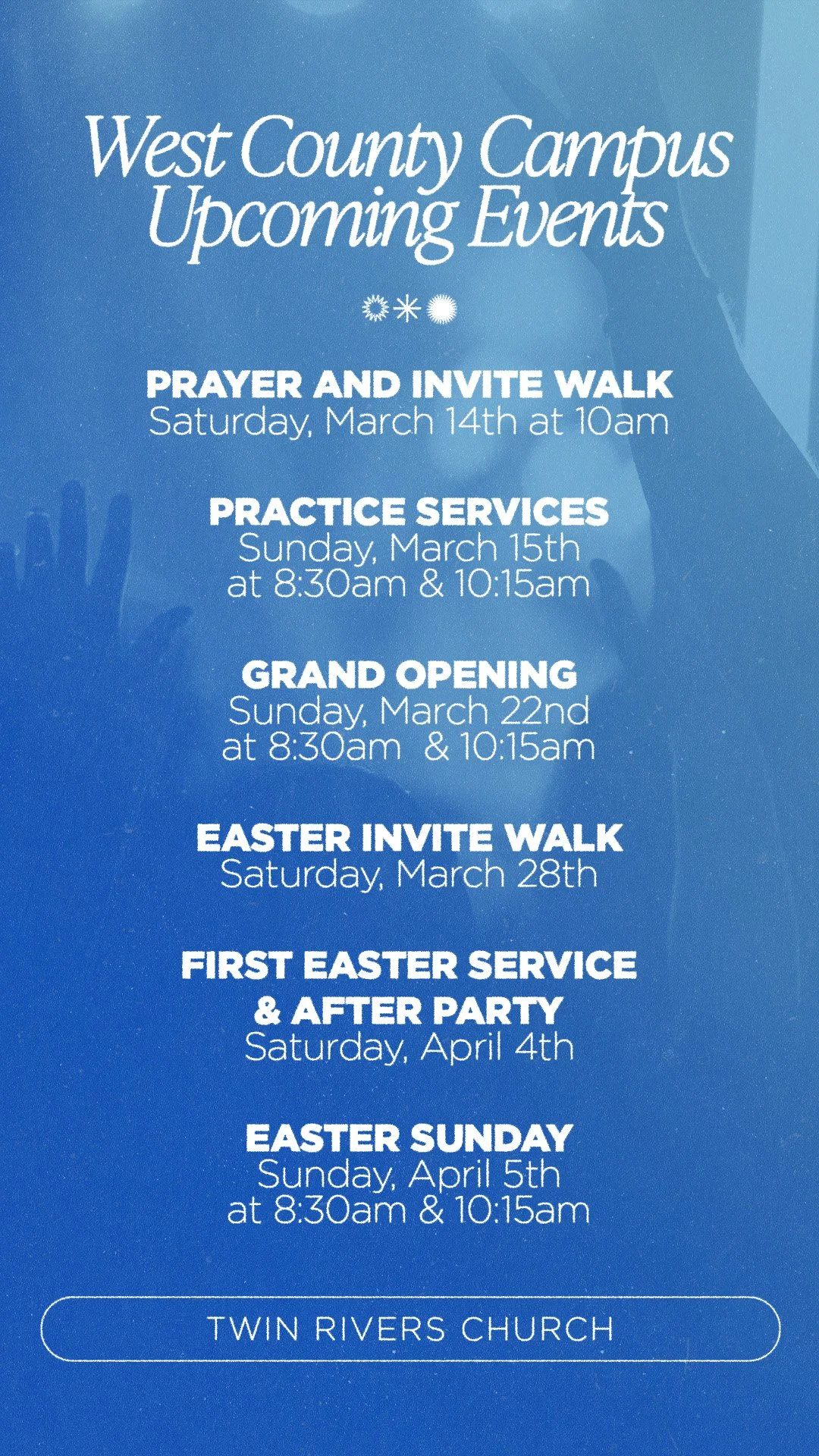


How to Save (on computer):
1. Right-click on the images above
2. Select “Save Image As”
3. Choose the “Downloads” folder
4. Then find your images in downloads and post to social media!
How to Save (on mobile):
1. Press your finger down on the screen over the image
2. Drag the image below to your browser search bar
3. The image will open up in a new window
4. Press your finger down on the screen over the image
5. Select “Add to Photos”
6. Close your browser and open up Photos to find your digital invites!